我的开源
我的开源
『QT』布局管理器 (二)

1 QFormLayout 表单布局
QFormLayout表单布局是一种Qt用于创建表单样式的布局, 该布局的布局方式类似于网格布局, 能容纳N*2的布局, 即N行2列, 其主要为Qt中可能需要的表单内容进行布局;
1.1 QFormLayout 的使用
使用与其他布局类似, 此处举一个例子, 设计一个3行2列的标签与输入框, 并在底部添加一个按钮;
-
创建控件并进行初始化
Widget::Widget(QWidget *parent) : QWidget(parent) , ui(new Ui::Widget) { ui->setupUi(this); QFormLayout* fromLayout = new QFormLayout(this); QLabel *label_1 = new QLabel("Name"); QLabel *label_2 = new QLabel("Age"); QLabel *label_3 = new QLabel("Tel"); QLineEdit *lineEdit_1 = new QLineEdit(); QLineEdit *lineEdit_2 = new QLineEdit(); QLineEdit *lineEdit_3 = new QLineEdit(); lineEdit_1->setPlaceholderText("Please input your Name..."); lineEdit_2->setPlaceholderText("Please input your Age..."); lineEdit_3->setPlaceholderText("Please input your PhoneNumber..."); QPushButton* pushButton = new QPushButton("Submit"); } -
将控件添加至表单布局
Widget::Widget(QWidget *parent) : QWidget(parent) , ui(new Ui::Widget) { ui->setupUi(this); QFormLayout* fromLayout = new QFormLayout(this); QLabel *label_1 = new QLabel("Name"); QLabel *label_2 = new QLabel("Age"); QLabel *label_3 = new QLabel("Tel"); QLineEdit *lineEdit_1 = new QLineEdit(); QLineEdit *lineEdit_2 = new QLineEdit(); QLineEdit *lineEdit_3 = new QLineEdit(); lineEdit_1->setPlaceholderText("Please input your Name..."); lineEdit_2->setPlaceholderText("Please input your Age..."); lineEdit_3->setPlaceholderText("Please input your PhoneNumber..."); fromLayout->addRow(label_1, lineEdit_1); fromLayout->addRow(label_2, lineEdit_2); fromLayout->addRow(label_3, lineEdit_3); QPushButton* pushButton = new QPushButton("Submit"); fromLayout->addRow(pushButton); } -
运行结果
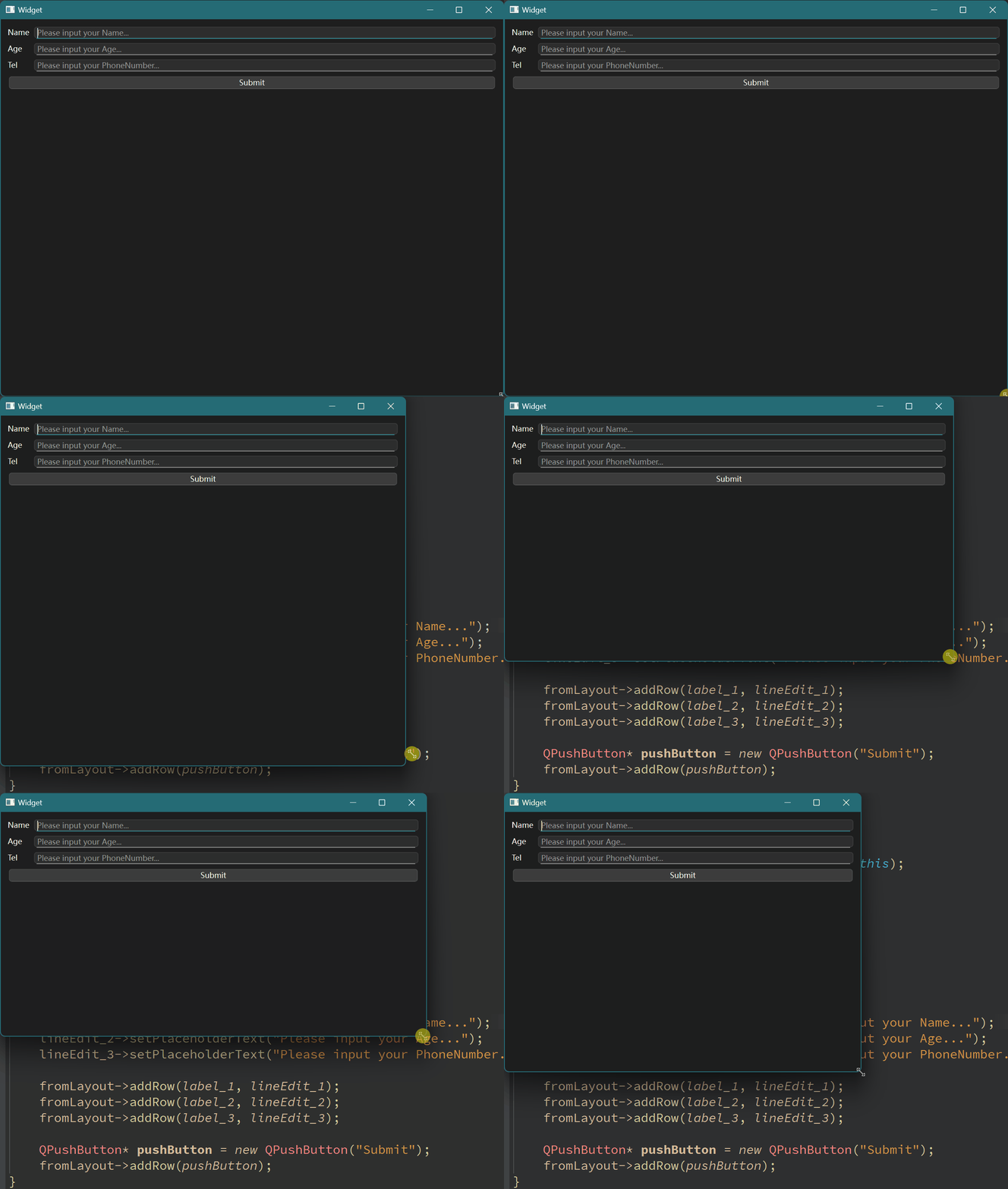
虽然表单布局允许N行2列, 但通常情况是限制最大而不是最小, 单行中可以有1~2列;
2 QSpacerItem 空白
在Qt中, 为了方便更好的布局, 提供了一种QSpacer的类;
其核心属性有:
| 属性 | 说明 |
|---|---|
width |
宽度 |
height |
高度 |
hData |
水平方向的sizePolicy |
vData |
垂直方向的sizePolicy |
2.1 QSpacerItem 的使用
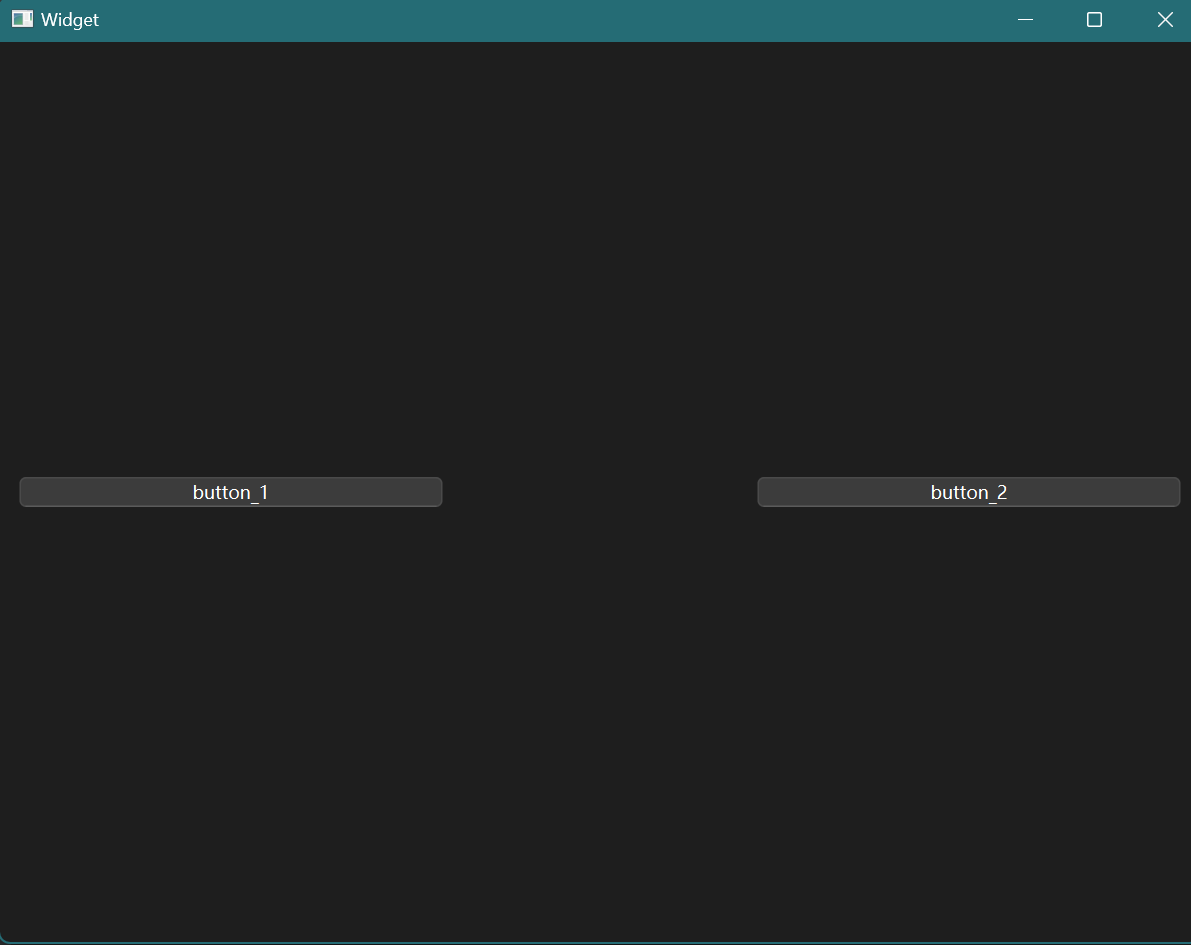
创建一个QHBoxLayout水平布局管理器, 放置两个QPushButton, 并在QPushButton中放置一个QSpacerItem;
#include "widget.h"
#include "ui_widget.h"
#include <QHBoxLayout>
#include <QSPacerItem>
#include <QPushButton>

Widget::Widget(QWidget *parent)
    : QWidget(parent)
    , ui(new Ui::Widget)
{
    ui->setupUi(this);
    QHBoxLayout* HLayout = new QHBoxLayout(this);
    QPushButton* button_1 = new QPushButton("button_1");
    QPushButton* button_2 = new QPushButton("button_2");

    HLayout->addWidget(button_1);
    HLayout->addSpacerItem(new QSpacerItem(200, 20));
    HLayout->addWidget(button_2);


}

Widget::~Widget()
{
    delete ui;
}
运行结果为: